Working with Rules
Rules are the fundamental building blocks of every Arconomy strategy. Each rule encapsulates a specific piece of trading logic — from fetching price data, to evaluating a technical indicator, to placing an order. This page explains the anatomy of a rule and walks through each section of the rule editor dialog.
Anatomy of a Rule
Every rule has a Name and a Description. The name is displayed on the
canvas and can be set to something descriptive so you can easily recognise the rule at a glance — for
example, 1m XAUUSD for a price data rule or SMA20 for a moving average. The
description provides additional detail and can be viewed on the canvas by hovering over the category icon
above the rule.
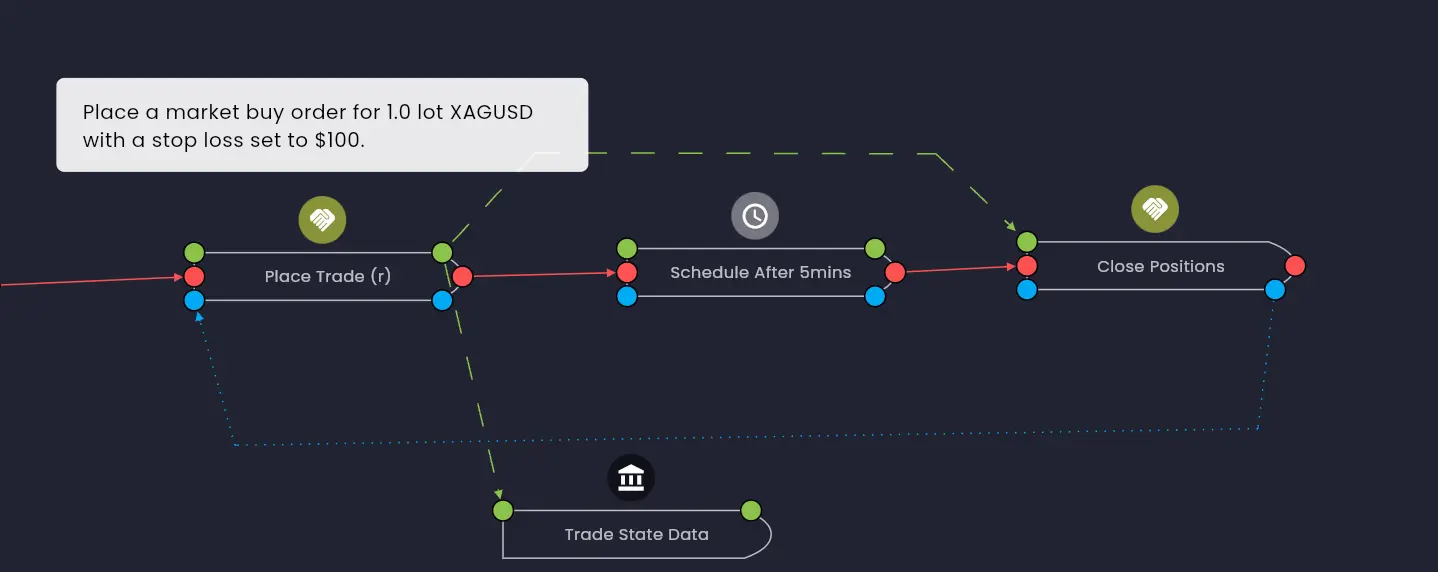
To add more detailed information to a strategy use the Strategy Note in the Strategy Builder. This is useful for documenting the steps in a trading strategy, for example, the entry and exit rules, the risk management rules, and any other information that you want to keep with your strategy.
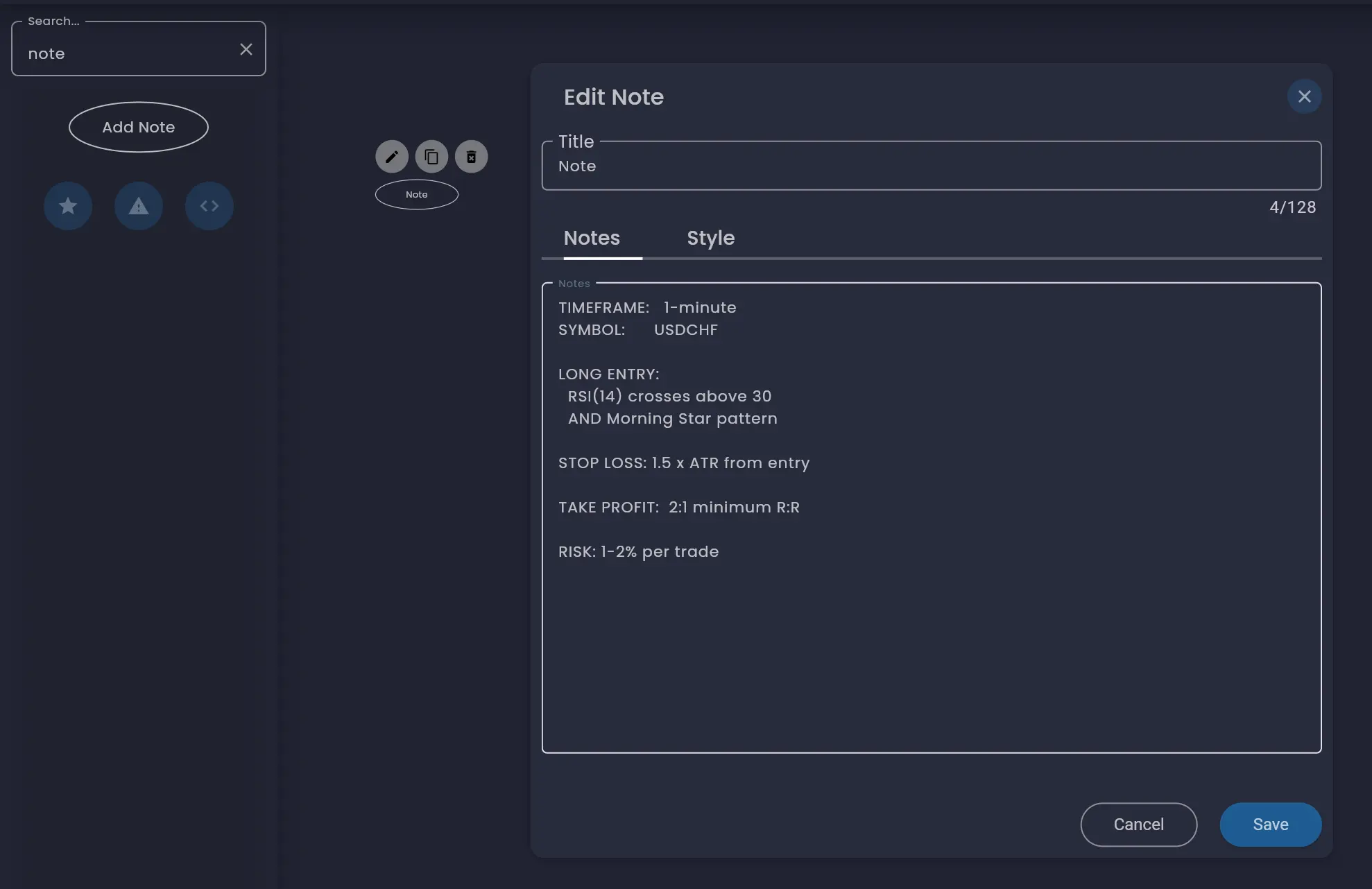
After updating the name and description of a rule, there are up to four main sections to configure, each displayed as a tab in the rule editor dialog:
- Enable, Disable and Reset — controls whether the rule is active and how it responds to reset actions.
- Input Data — sets the rule's parameters and data sources.
- Execution Dependencies — defines when the rule executes relative to other rules.
- Output Data — displays the data the rule produces for other rules to consume.
There is also a Style tab to customise the colours of a rule, making it easier to identify on the canvas.
If a rule does not require a particular section, that tab will be omitted. For example, data source rules are triggered by external data events and therefore do not have an Execution Dependencies tab. The Trading Account rule only has Input Data, Output Data and Style.
Enable, Disable and Reset
The Enable, Disable and Reset tab contains four toggles that control the rule's active state and reset behaviour. For a detailed explanation of how enable, disable and reset work across your strategy, see the dedicated Enable, Disable and Reset page.
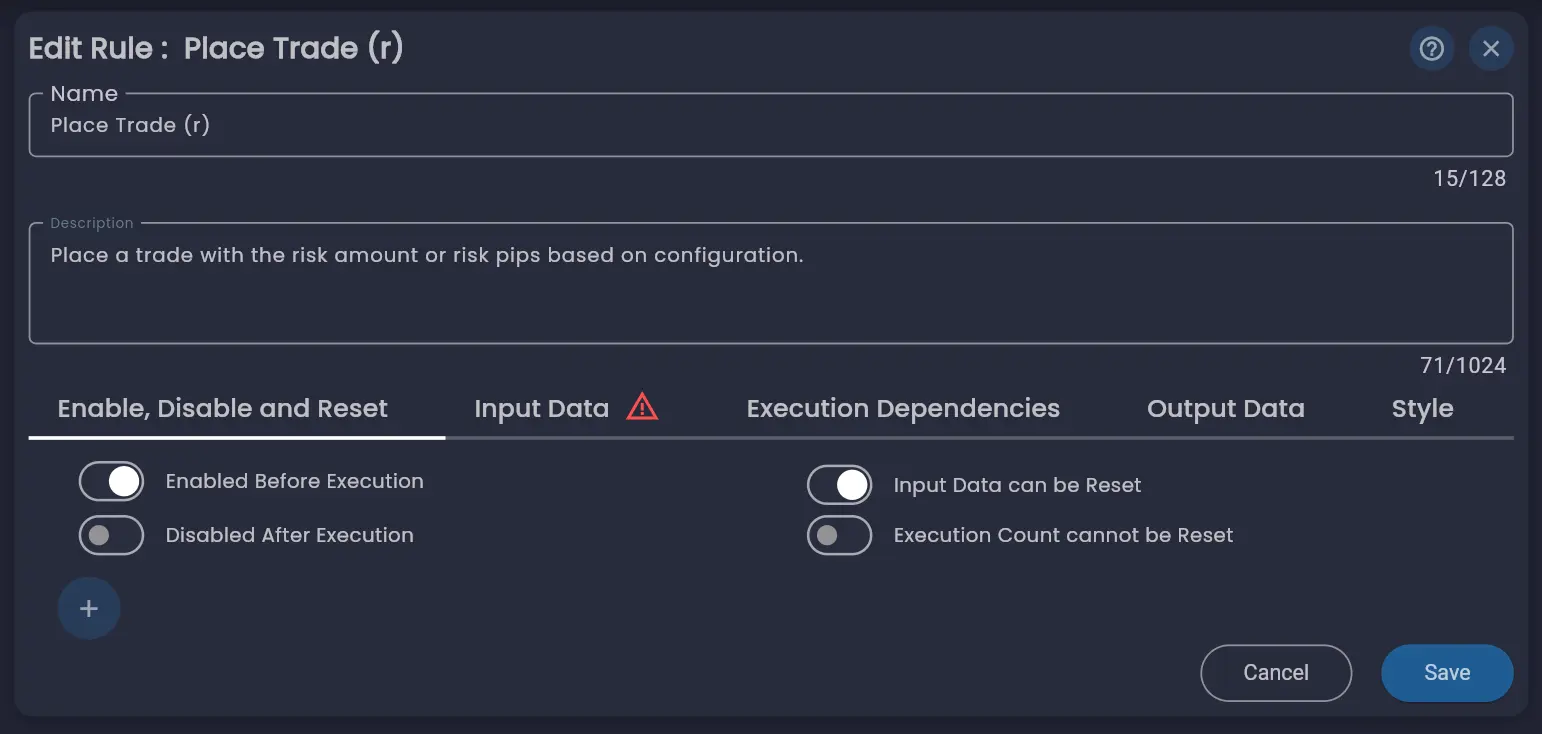
Enabled Before Execution
The top-left toggle determines whether the rule is enabled when the strategy starts. A rule will only execute if it is enabled, even if all of its execution dependencies are met. If this toggle is off, the rule must be enabled by another rule before it can run.
Disabled / Enabled After Execution
The bottom-left toggle controls the active state of the rule after it has executed. By default, trading rules are disabled after execution to prevent them from being triggered multiple times by a mis-configuration within the strategy. Non-trading rules typically remain enabled after execution so they continue to respond to their execution dependencies.
Input Data can be Reset
The top-right toggle determines whether the rule's input data can be reset. When enabled, a reset action — either from the dedicated Reset rule or from another rule's enable/disable/reset link — will clear the rule's stored data. In some cases you may want to retain a rule's data but only reset its execution count. Turning this toggle off preserves the data while still allowing the execution count to be reset.
Execution Count can be Reset
The bottom-right toggle controls whether the rule's execution count is reset after a reset action. Some strategies use the execution count as part of their logic — for example, you might configure a rule to execute five times before triggering another rule. Turning this toggle off preserves the execution count through reset actions so the count continues from where it left off.
Trigger Enable, Disable and Reset Actions
The + button below the toggles lets you trigger enable, disable or reset actions on other rules directly from this tab after a rule has successfully executed. The enable, disable or reset actions configured here are displayed as blue-dotted links on the canvas.
Input Data
The Input Data tab is the primary area for configuring a rule. It contains the parameters the rule needs in order to execute — what data it requires, which fields to use, and the values that control the rule's behaviour. This is where most of the configuration for what you want your rule to do takes place, including where it gets its data from.
The available parameters are highly configurable and vary depending on the type of rule. For example:
- A Moving Average rule has parameters for the data source, MA type (Simple, Exponential, etc.), length and offset.
- A Price Data rule has parameters for the symbol, broker, period, frequency, candle start time, anchor type and more.
- A Place Trade rule has parameters for the symbol, side (Buy/Sell), order type (Market, Limit), quantity, risk configuration and order execution settings.
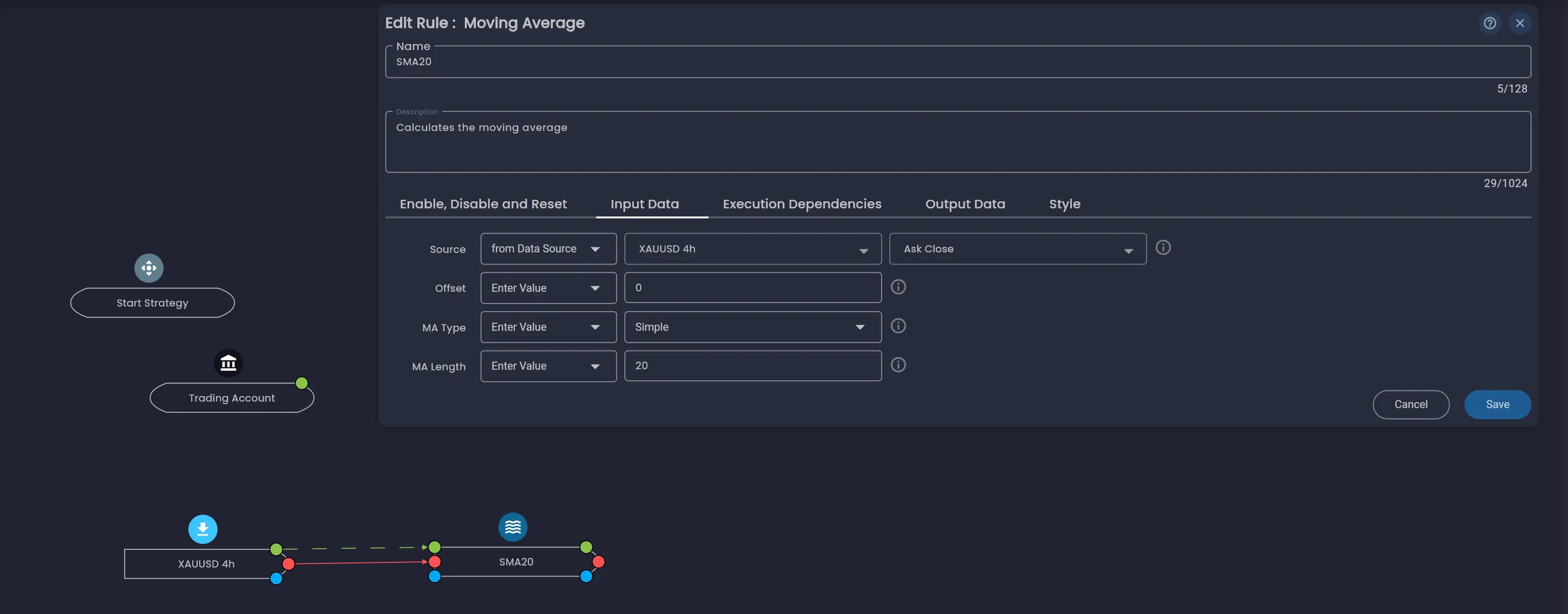
Each parameter row follows a consistent layout: the parameter label on the left, a source selector dropdown that determines where the value comes from, the value field(s), and an information icon (ⓘ) at the end of the row.
Hovering the information icon displays a short tooltip describing what the parameter does. Clicking the icon opens the AI Trading Assistant dialog alongside the rule editor, which provides a more in-depth explanation of the parameter in the context of the rule you are configuring. The assistant also includes a chat input so you can ask follow-up questions about the parameter or how to use it in your strategy.
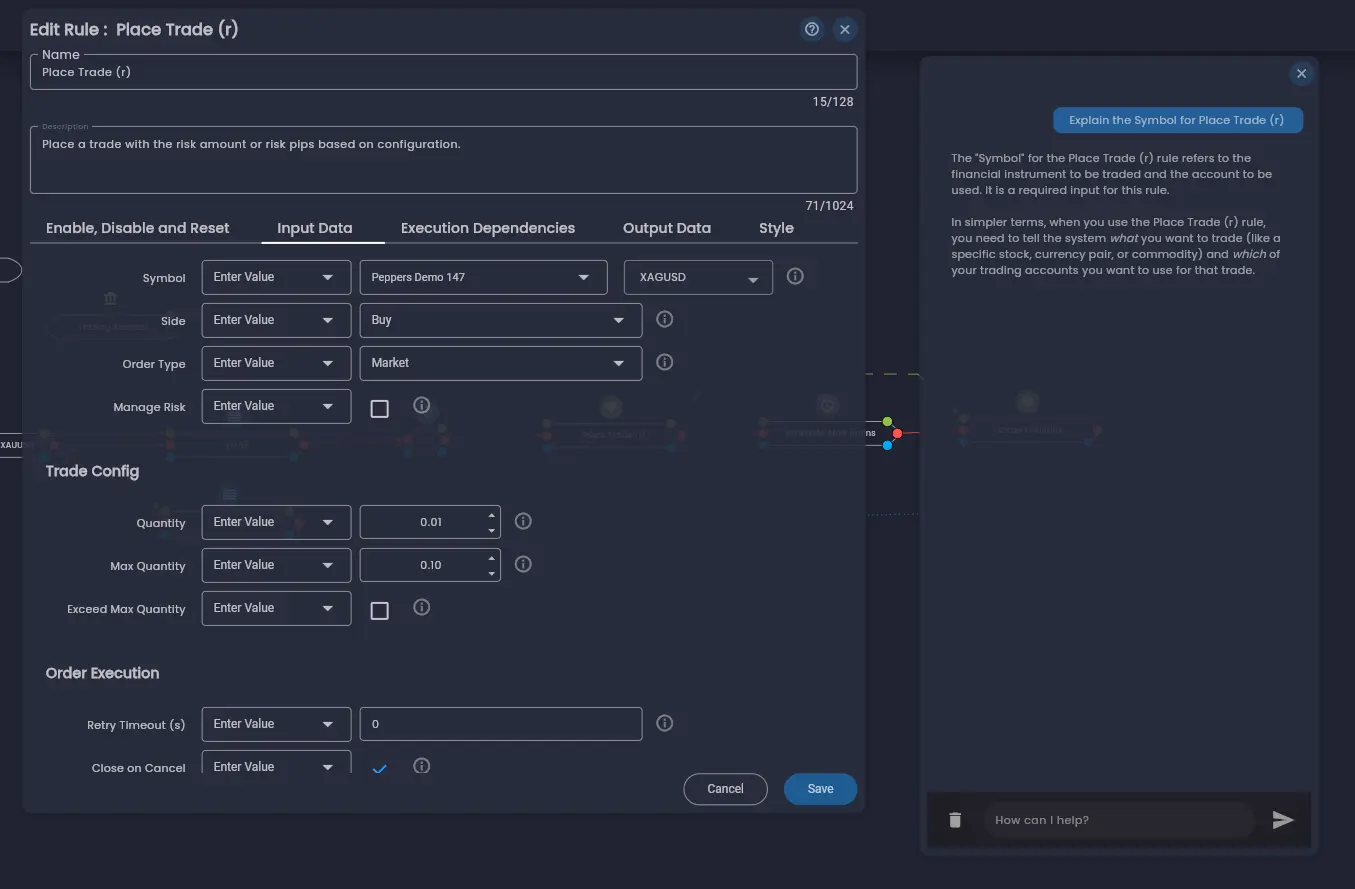
The source selector drop-down field that is displayed next to the input field name is a key concept — it controls how the parameter gets its value. There are three ways to provide data for a parameter field:
Enter Value
Manually enter a fixed value directly in the field. This is the most common option for straightforward
configuration — for example, setting a moving average length to 20 or a trade side to
Buy.
from Rule
Use the output data from another rule on the canvas. When you select this option, you are presented with a list of rules that provide output values compatible with this parameter's data type. Select the rule and then the specific output field you want to use. This allows one rule's results to dynamically feed into another rule's parameters — for example, using a calculator rule's output as a trade quantity.
from Data Source
Use data from a data source rule such as Price Data or Volume Data. When you select this option, you are shown the data source rules on the canvas and the fields that are compatible with this parameter. Data source rules are distinguished from other rules because they are triggered by external data events rather than by execution dependencies within the strategy. This is the primary way that indicators and calculations receive their market data.
There is also the option to select from Strategy Configuration, which is a global configuration. This is useful when you want the same parameter value to be shared across multiple rules and changed in one place.
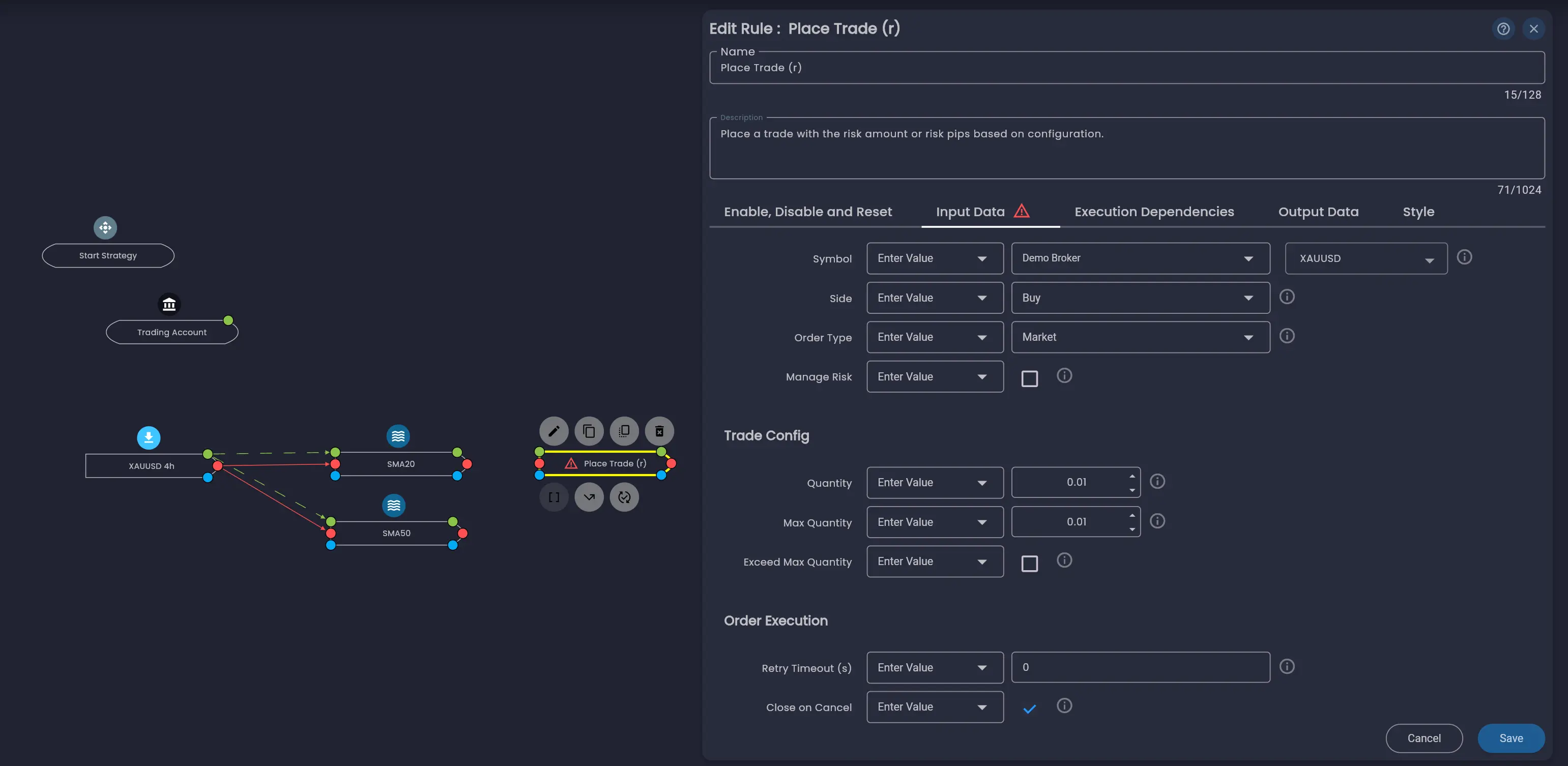
Some rules organise their parameters into sub-sections within the Input Data tab. For example, the Place Trade rule groups its parameters into trade settings, Trade Config (quantity and limits) and Order Execution (retry and cancellation behaviour).
A warning icon on the Input Data tab indicates that one or more required parameters still need to be configured before the rule can execute correctly.
For a detailed explanation of how data flows between rules, see Data Dependencies.
Execution Dependencies
The Execution Dependencies tab defines when this rule executes relative to other rules. You configure execution using After or Every statements, and can add optional If conditions that must be met before the rule will run.
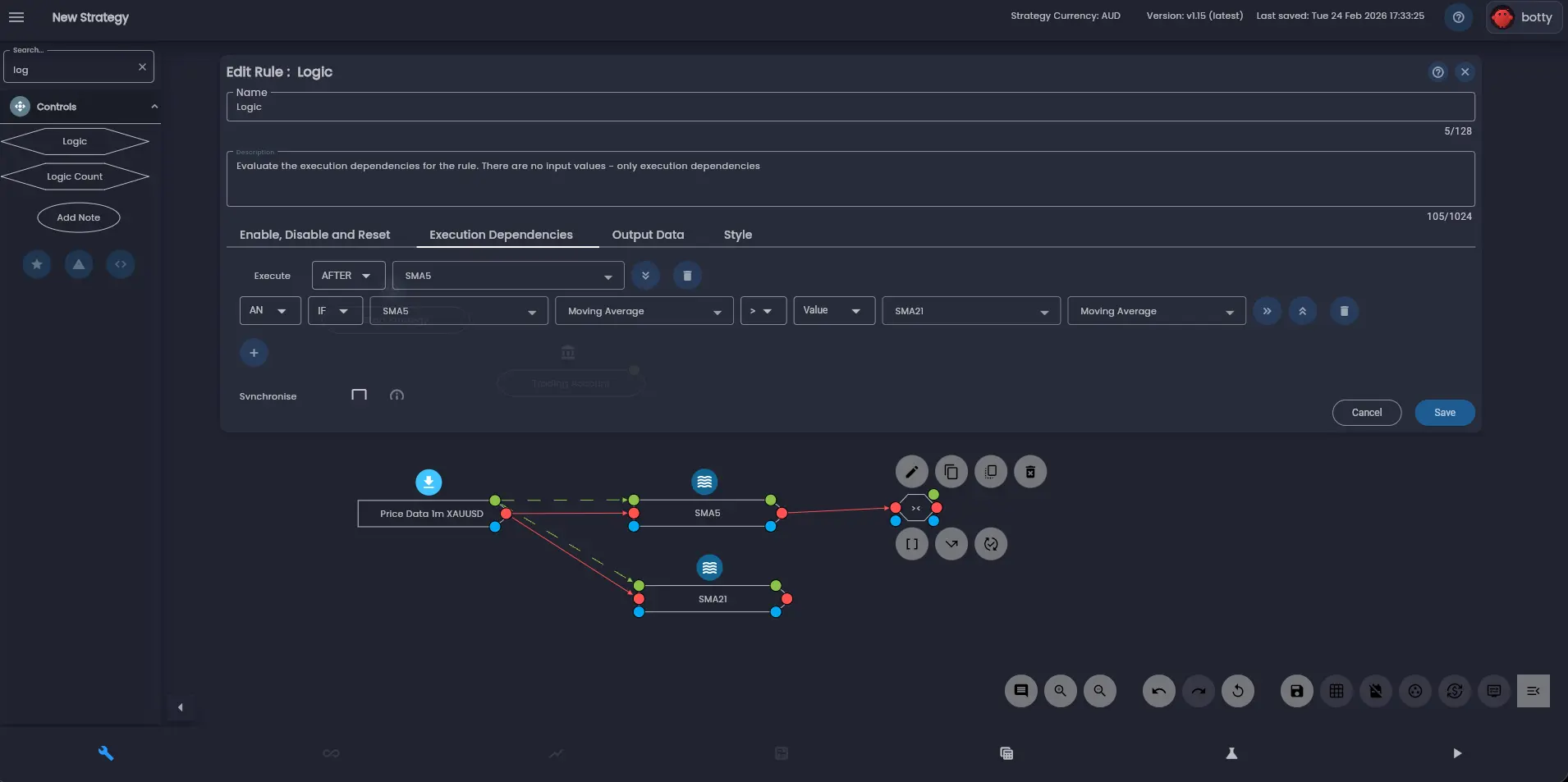
For a detailed explanation of execution dependencies including After vs Every statements, condition statements, synchronisation and execution order, see Execution Dependencies.
Output Data
The Output Data tab displays the data that a rule produces for other rules to consume. Each rule has a defined set of output values — for example, a Trading Account rule outputs values such as Profit, Max Profit, Max Loss, Open Positions and more.
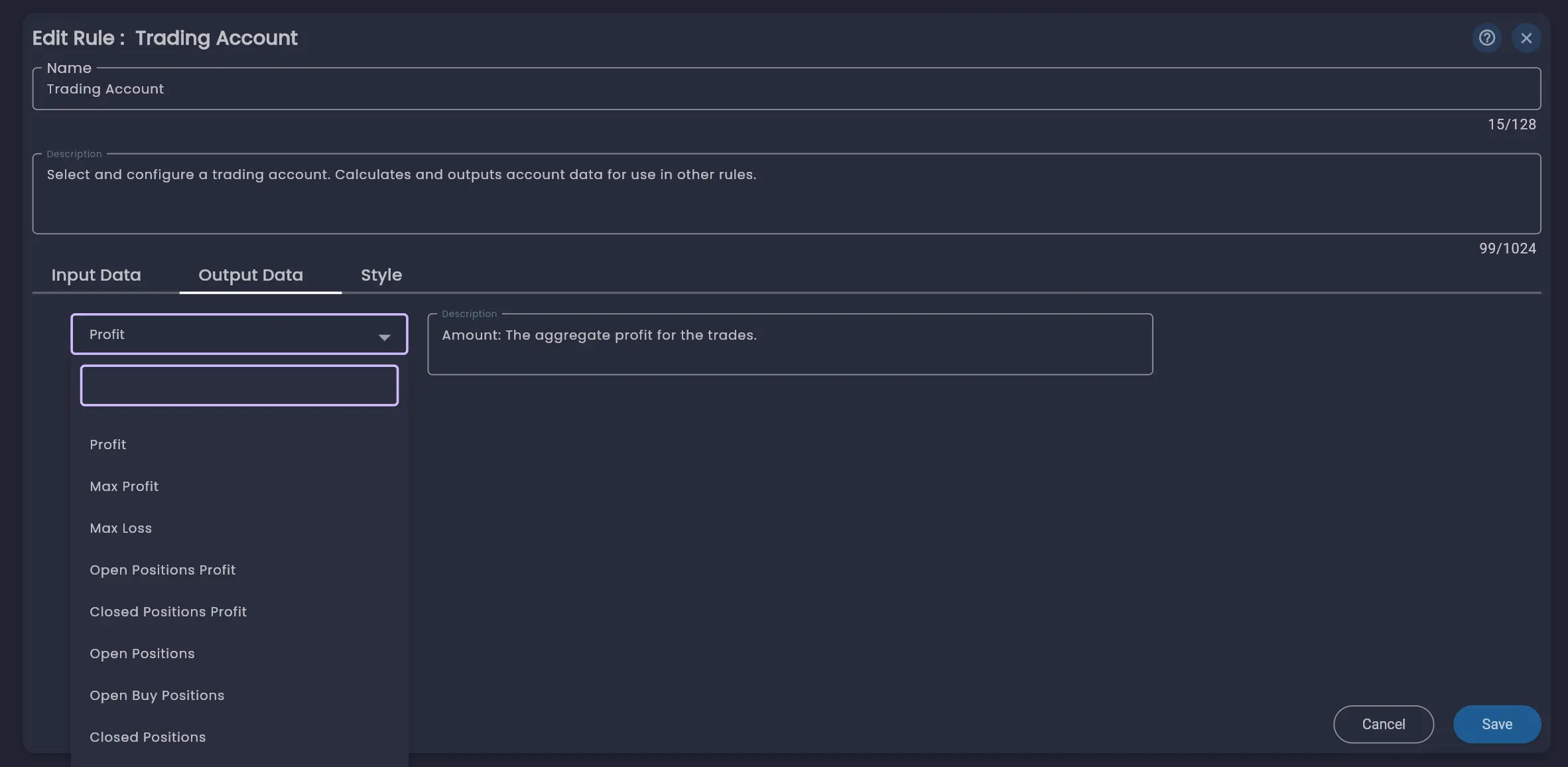
Output data is strictly typed and can be connected to other rules' input parameters by setting the source to from Rule. The description field next to each output explains what the value represents. For more on how output data connects to other rules, see Data Dependencies.
Style
The Style tab lets you customise the appearance of a rule on the canvas. You can change the rule's colour to help visually group related rules or make important rules stand out. This is purely cosmetic and does not affect how the rule behaves.
Was this helpful? Let us know